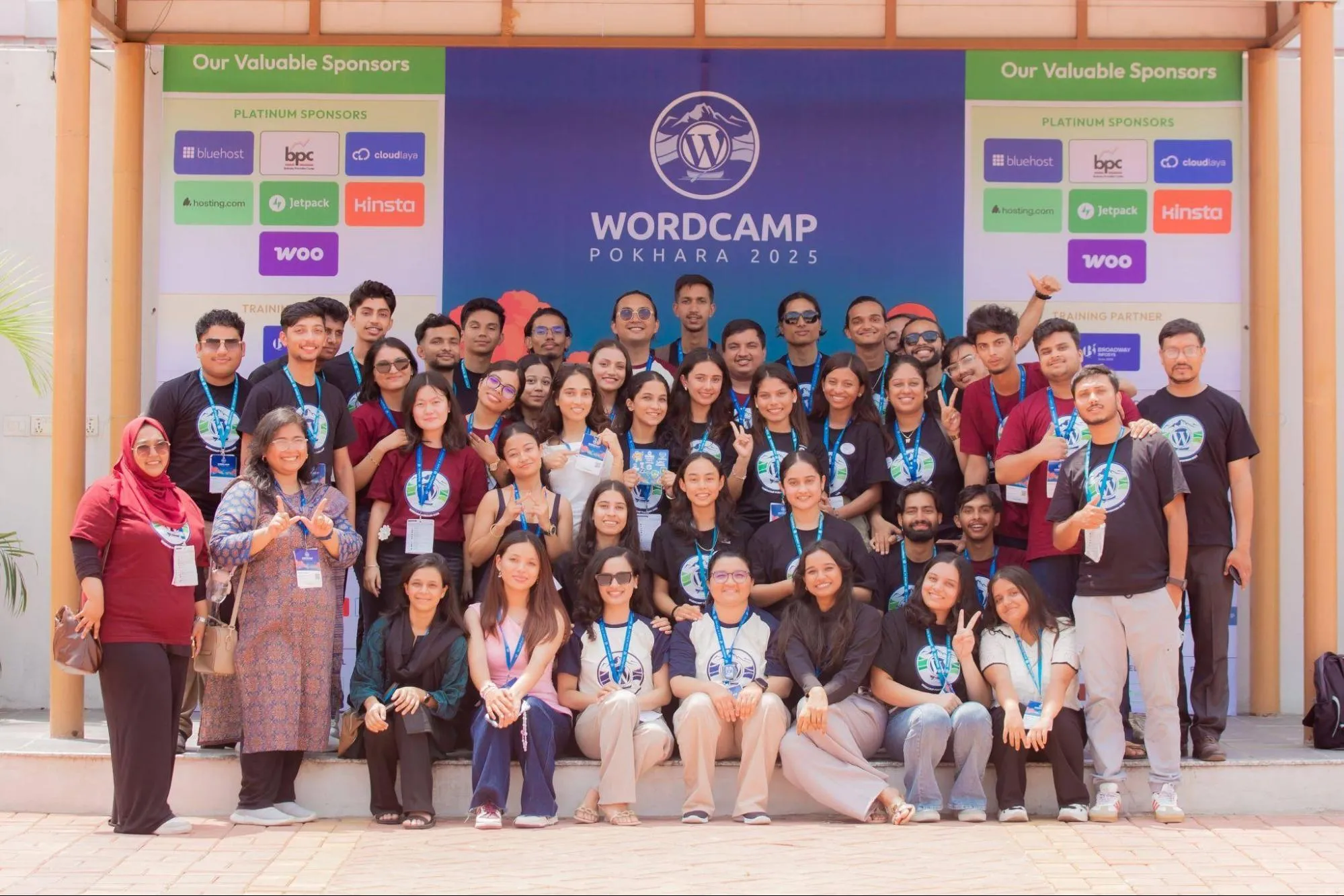
There’s also a #ceo Slack channel where anyone can drop in and request a meeting, which my esteemed colleague Damianne President did, and this morning we had an interesting chat that set my mind racing about how we might engineer happiness in the future.
One overriding assumption: Personal agents will trounce company agents in most cases.
Your personal agent can — or soon will — know all your history, your calendar, your email, your preferences, and your photos, and it speaks your language. So much time is wasted in traditional support trying to see through the customer’s eyes, or authenticate them. That goes away, but watch your thinking! It’s so easy to fall into the mental model trap of legacy chatbots and data models.
As a company, your website, your WordPress, documentation, tutorials, menus, manuals need to be amazing and up to date. That’s the source of truth, and an agent will read all of it!
The interface and APIs remain because that’s useful to both human visitors and the agents.
Whenever possible, make support public. More blogs and bbPress. I actually weep a little when I think of how many beautiful words are written by our Happiness Engineers that are only ever seen once in a chat box or email thread.
My goal with our products is that support is radically available, and you almost never have to use it.
If you’re in a support role, I think you can pick a lane based on where you get energy.
If you love looking at screens, I think there’s a future where customer service wizards are watching over an Iron Man-like interface, armies of chat bots talking to people, where they can see how they’re going and intervene or nudge them as needed. There’s a ton of work in tuning agents and interactions.
If people recharge you, I actually think this will be the greatest era. All of the basic, mechanical stuff will be automated, but I think human connection will be what economists call a Veblen good, more in demand even as it is more expensive.
I think Happiness Engineering in the future will look a lot more like community building. A bot can’t host a meetup or a WordCamp.
I was the biggest Waymo fanboy, but this year with lots of trips to and from hospitals with Om I found myself craving human connection and used Uber more than ever. (It also gave me a chance to practice the one repeatable way that money can buy happiness, which is keeping a couple Benjamins in your back pocket and surprising people with them.)
Before you dive headfirst into all the big and small changes and pick your favorites, make sure to read these preliminary thoughts about this post and how to use it. If you have any questions, leave a comment or email me at pauli@gutenbergtimes.com.
A huge “Thank you” to Anne McCarthy, Justin Tadlock, Isabel Brison, Adam Silverstein, Ramon Dodd, Andrew Serong, Hans-Gerd Gerhards, Marin Atanasov, Krupa Nanda, Aaron Robershaw, Ben Dwyer, Brent MacKinnon, Ashar Fuadi, and a lot more. It still takes a village. Also huge respect to the whole release squad on getting WordPress 7.1 over the finish line.
Estimated reading time
35–53 minutes
at
8,291 words
Table of Contents
Changelog
Any changes are cataloged here as the release goes on.
Try not to just copy and paste what’s in this post since it’s going to be shared with plenty of folks. Use this as inspiration for your own stuff and to get the best info about this release. If you do copy and paste, just remember that others might do the same, and it could lead to some awkward moments with duplicate content floating around online.
Each item has been tagged using best guesses with different high-level labels so that you can more readily see at a glance who is likely to be most impacted. Each item has a high-level description, visuals (if relevant), and key resources if you would like to learn more.
Overview
WordPress 7.1 rounds out the block editor’s styling controls and makes working with media noticeably smoother. Long-requested features let you style how blocks look across three screen sizes and in interactive states like hover and focus — all without writing custom CSS. The admin experience becomes more personal, too, following you with your own color scheme and toolbar across every screen.
Handling images gets a considerable upgrade, too. The new media editor modal brings free-form cropping, rotation, and metadata editing into one workflow, and client-side media processing makes uploads faster and more resilient, with broader format support and better-optimized files.
The new Playlist and Tabs blocks enrich the layout options available out of the box and make for more creative information presentation. In the same realm fall the expanded Icon API with custom icon collections, dynamic galleries, and background gradients for more blocks.
The unification of WP Admin and the block editors progresses as well: the editors now respect your admin color scheme, and the admin bar stays with you on every screen — including the editors and the front end. A new “On This Day” Widget connects you to your site’s history.
While real-time collaboration has been punted to a future WordPress version, the asynchronous collaboration in Notes took real steps forward with inline notes on partial text selections, @mentions, rich text formatting, and multiple notes per block.
Beyond the headliners, core blocks receive many quality-of-life improvements and bug fixes to make editing content in WordPress streamlined, consistent, and fast — and developers get an expanding set of APIs to build on.
This release consists of features from the Gutenberg plugin version 22.7 – 23.6. Here are the release posts of those plugin releases: 22.7 | 22.8 | 22.9 | 23.0 | 23.1 | 23.2 | 23.3 | 23.4 | 23.5 | 23.6 Later Gutenberg releases contain bug fixes, backported to WordPress 7.1. release branches.
To make this document easier to navigate based on specific audiences, the following tags are used liberally:
[end user]: end user focus.
[theme builder]: block or classic theme author.
[plugin author]: plugin author, whether block or otherwise.
[developer]: catch-all term for more technical folks.
[site admin]: this includes a “builder” type.
[enterprise]: specific items that would be of interest to or particularly impact enterprise-level folks
[all]: broad impact to every kind of WordPress user.
How can you use these? Use your browser’s Find capability and search for the string including the brackets. Then use the arrows to navigate through the post from one result to the next.
Short video on how to use the tags to navigate the post.
Priority Items for WordPress 7.1
WordPress 7.1 introduces significant enhancements to block-based design and editing. These priority features focus on responsive controls, interactive states, media management, and modernized Admin bar navigation.
Responsive styles for blocks
[theme builders] [site admin][end user]
Probably the most requested improvement of the block editor: after years of pushing intrinsic design for fonts and spacing, WordPress 7.1 makes responsive design a built-in, first-class part of the editing experience. The feature builds on earlier steps in this direction — the ability to show or hide blocks by screen size and the Navigation block’s customizable mobile overlay — and extends the idea to styling itself.
The feature is available across all block editors for Posts, Pages, Templates, Patterns,template parts and Navigation. Responsive styling follows a desktop-first model, letting styles cascade to smaller screens until you customize them for specific devices.
Viewport-specific values are currently limited to block sidebar settings (like typography, spacing, and colors). The controls work in Global Styles (affecting all instances of a block) and on individual block instances, across all block editors — Posts, Pages, Templates, Patterns, template parts, and Navigation.
Any controls from the toolbar that can’t be set by viewport will be hidden when a viewport state is enabled. Among the most significant controls: viewport-level aspect ratio presets for Image, Featured Image, and Cover blocks, so each can be optimized per device (#78543). Alongside this work, the Layout controls moved from the Settings tab to the Styles tab, keeping all styling decisions together.
Community feedback from the Call for Testing made sure this feature ships with an off switch via a new responsiveEditingEnabled editor setting: turned off, both the Responsive styles option in the View menu and the viewport selector in Global Styles disappear. It gates the editing interface only. Responsive styles already saved keep rendering as before. (#80814). See code examples are in the responsive styles dev note.
Follow the Call for Testing: Responsive Styling to learn how to invoke the feature and what to look out for, and find the technical details in the Dev Note: Responsive block styles and configurable viewports in WordPress 7.1.
Themes can now define custom breakpoints in theme.json, so both responsive styling and per-viewport block visibility work from your design system’s breakpoints instead of WordPress’s defaults. For theme developers and designers, this provides fine-grained, device-agnostic control over responsive behavior. (79104).
You can now style interactive pseudo-states (:hover:, :focus: or :active:) for two blocks: Button and Navigation Link. The styling can be applied globally and per-instance without writing any CSS. For example, Users can change a button’s color on hover directly in the editor. (76491)
The underlying mechanism allows for the styling of the current menu item in a navigation block via theme.json (75736).
The new media editor modal replaces the inline cropping tool, accessed via the familiar Crop button, and brings together free-form and aspect-ratio cropping, flip, fine-grained rotation with snap guides, and metadata editing in one unified workflow. (78653, 78935, 78792)
This considerably improves the editing experience in WordPress Block editor. The goal was to eliminate the need for external tools for basic image editing. You can now exercise faster, more precise control over your images—fine-tuning framing, fixing orientation, or mirroring an image to better fit your layout in just a few clicks, all without breaking your editing flow.
For the Cover Block, this new media editor modal is hooked up to the Crop background image button. The option appears whenever the Cover block uses an editable image, and the block automatically recalculates its overlay color and contrast after an edit, so text stays readable even if the crop removes the image’s brightest or darkest areas (79258 )
When you upload an image in the block editor, your browser — not your server — will now handle the creation of all sub-sized images using a WebAssembly (WASM) version of libvips (wasm-vips), a high-performance image processing library. The result stored on your server is improved over what server-side processing produced until today: smaller files generated directly on your device. Server-side image processing CPU usage could decline by more than 80% on capable devices (79188)
The update also comes with broader modern image format support that includes HEIC (the default format for iPhone photos), JPEGS with HDR gain maps (used by UltraHDR and Adaptive HDR), AVIF and WebP support built in. A great performance improvement is the GIF-to-video conversion feature for lighter, more efficient files that are faster to load on the front-end. This feature is opt-in right now. Uploads are also more resilient, with a progress indicator and automatic retries if your data connectivity drops off (76765, 79307).
For content creators uploading media, this update means better support for HDR images, faster, more reliable uploads, broader format support, and better-optimized files without manual intervention.
Plugin developers should note that some server-side hooks, including `wp_generate_attachment_metadata`, `image_resize_dimensions`, and `wp_handle_upload` may not fire as before. The team is working on documentation and mitigation strategies. (74333)
WordPress 7.0 shipped a built-in set of SVG icons for the block editor and the Icon block. With WordPress 7.1, this grows into a proper, public API: plugins and themes can register their own icons, group them into collections, render them on the server, and read them over the REST API.
For developers, the pieces come together on the PHP side: register a collection with wp_register_icon_collection(), add icons with wp_register_icon() — from an inline SVG string or an .svg file — and print any registered icon with wp_get_icon(), including size, CSS class, and an accessible label. Icon names get strict validation, the registry’s register method is now public, and REST API endpoints expose collections and icons to your own code. A dev note with full code examples is on its way to the Make Core blog.
One breaking change to flag: all 330 icons in @wordpress/icons v15 now declare fill="currentColor", so icons inherit the surrounding text color by default. If you’ve been tinting icons with the CSS fill property, switch to color — it’s more reliable, since an icon may use fill, stroke, or both internally. If you register your own icons, add fill=”currentColor” to their <svg> element to get the same behavior.
With WordPress 7.1, the WordPress admin bar which sits at the top of your site’s front end and other admin pages is now displayed when using block editor by default. It stays hidden when Fullscreen mode and Distraction-free mode are both turned on.
Until now, entering the editor in its default fullscreen mode meant the admin bar disappeared, cutting you off from the rest of wp-admin. Since the admin bar now provides site context, the update also replaces the top-left W/site icon in the site editor with an explicit back button, making the navigation control more obvious (79197).
With this update also comes a design refresh:
your site icon replaces the home icon,
the profile avatar becomes circular, and
the command palette keyboard shortcut moves into the Admin bar to remove visual clutter and resolve shortcut conflicts. (79060)
This keeps the familiar navigation with you on all screens again.
This release expands the block library with versatile new tools. These additions provide content creators with improved ways to display interactive media and organize information.
Playlist block
The new Playlist block lets you create audio playlists with waveform visualization, making it easy to showcase multiple tracks or podcast episodes in a single interactive player. Visitors can browse and play through your audio content without leaving the page. For content creators this provides a rich, modern listening experience built right into WordPress to highlight podcast episodes, track of music or talks.
Each track comes with its metadata: artwork, artist name, track number, and track length. The tracklist itself is configurable — you can set the play order and toggle artwork, artist names, track numbers, and track length individually to suit the design of your page.
This is the first version and contributors are working on improvements for the next WordPress version, too looking to add more waveform styles, shuffle and skip buttons, a hover overlay for more intuitive track scrubbing, as well as performance improvements.
The new Tabs block organizes content into separate tabbed panels that visitors click through to navigate. It’s a design pattern that presents information compactly without overwhelming readers with a wall of text. It’s a common layout for FAQs, product features, or any content where you want to show options side-by-side. For editors, it’s a familiar, flexible layout pattern now available natively in WordPress.
The block family consists of a Tab List for the navigation and Tab Panels for the content. Each panel accepts any blocks you like, and the tab buttons come with their own color, typography, border, and spacing controls, so the navigation can be styled to match your theme. Using the toolbar buttons you can reorder the tabs quickly.
Core blocks receive numerous quality-of-life improvements in 7.1. These updates refine existing editing workflows, simplify media handling, and provide deeper customization for layouts and design.
Block transforms: preview first, convert faster
[end user][site admin]
Switching a block’s look or type is now much easier to evaluate before you commit. When you open the block switcher in the toolbar, the style options a theme provides — say, a Button’s “Outline” style — show live previews on hover, so you see exactly how your block will look with the style applied. (75889) The same previews in the inspector’s Styles panel now match the toolbar presentation, so it no longer matters where you make the switch. (75989) A small polish fix also centers the Navigation block’s preview in its preview pane. (75741)
Transforms got more capable, too: a block can now transform directly into a variation of another block. Instead of converting to a Group and then picking Row afterwards, the transform menu offers Row or Stack as direct targets — one step instead of two. (78713)
The same “one step instead of two” thinking extends to legacy content. Pasting or converting an shortcode now creates a proper Embed block instead of leaving raw shortcode text behind, so embeds from YouTube and other services display correctly right away (77937)— and if you change your mind, undo restores a paragraph with the URL rather than deleting it. (77551).
The Shortcode block joins in as well: when its content matches a registered shortcode, it now offers block-specific transforms to convert it into the equivalent block. (77944)
For anyone maintaining a site with years of shortcode-based posts, that removes a tedious cleanup step on the way to block-based editing.
Combine gradient and image backgrounds
[end user][theme builder][site admin]
More blocks now support background gradients through the new background.gradient block support, which layers a gradient on top of a background image instead of one overwriting the other — a translucent color wash over a photo, for instance, without custom CSS.
Previously, gradients lived only in the Color panel, stored as a CSS background shorthand that clashed with any image on the block. The new support adds a Gradient control to the Background panel next to the existing Image control, and the style engine combines both into a single layered background-image value on individual blocks, in Global Styles, and via theme.json. A follow-up allows modern color functions in standalone gradients, and the text and background color controls moved to the Typography and Background panels to match.
WordPress 7.1 ships with six blocks supporting the new gradients: Group, Verse, Accordion, Pullquote, Post Content, and Quote. More will follow, with a long-term plan to migrate the older color.gradient to the new system across all blocks. There’s no built-in migration path in 7.1 yet.
For extenders, opting in follows the familiar block supports pattern. Custom blocks declare it in their block.json:
JSON
"supports": "background": "gradient": true
Themes control the setting via theme.json under settings.background.gradient (it’s also included in appearanceTools), and can define gradient values in styles — at the root, per block, or in style variations:
Besides gaining the new media editor modal for background images, the Cover block addresses a request from community feedback. When the block’s “Embed video from URL” feature shipped in WordPress 7.0, site builders asked for a way to curate or disable it. WordPress 7.1 adds a new allowedVideoProviders attribute to restrict which video providers are offered, or to remove the URL-embed option entirely by allowing none (#80092). Existing embeds keep working; only new URL input in the editor is restricted.
Gallery and the attached images workflow in the Media Library
[end user][site admin]
Images you upload while writing a post have always been “attached” to that post. This specifically true for older sites, pre-Block editor. Attached images where no accessible as an cluster and need to be added the block editor canvas one at a time. WordPress 7.1 finally puts that relationship to work in the editor, via an additional filter drop-down item Uploaded to this post in the Media Library Inserter modal. Photos and other media you’ve uploaded stay within reach for reuse instead of disappearing into the media library.
The Gallery block is the showcase: instead of hand-picking every image, a single Use attached images button populates a dynamic gallery from all media attached to the current post (#78796). For content creators, this makes assembling image galleries faster and more flexible. It also helps reorganize image on older posts. The Source panel provides options for sorting the images. This brings the block editor handling of Gallery’s up to par with some features of the
shortcode
To have entire freedom to control the Gallery block, the Detach feature comes in handy. A Detach button in the toolbar and in the sidebar’s Source panel, makes out a stand-alone Gallery without the dynamic connetion to the post’s image. Using it help user to edit/upate the gallery block.
Below video visualizes the connection between a list of image attached to a post from the Media Library and the gallery block with the new feature.
It’s a step back toward the simplicity of dropping photos into a post and having WordPress do the arranging. It’s the first visible piece of a larger effort around dynamic galleries and post-attached media, with dynamic queries by date and eventually categories or tags ahead.
Image Block: Mark as decorative toggle
[end user][site admin]
Screen readers announce every image to their users — but some images, like dividers and design flourishes, carry no information worth announcing. The Image block’s new “Mark as decorative” checkbox tells assistive technologies to skip such an image entirely on the front end, by rendering it with role=”none” in the published post. It now eliminates the question, did we forget an alt=text or was it a deliberate decision to leave the alt-text empty?
There is further processing to come with the checked box. Marking an image decorative clears its alt text and disables captions and links, since an image that links somewhere or explains something isn’t decorative by definition. Until now, the accessible route was knowing the empty-alt-text convention; the checkbox makes the intent explicit, machine-readable, and available to every content creator. (78064)
The Login/Logout block has an option to display a full login form instead of a simple link — but until now, that form’s submit button ignored your theme entirely, rendering with plain browser-default styles that stuck out next to every other button on the site. With a block theme active, the submit button now carries the standard button classes (wp-block-button__link and wp-element-button), so it automatically picks up the button styling your theme defines in theme.json — colors, border radius, and all — with no custom CSS required. The block follows the same approach the Comments form already uses, resolving a mismatch first reported back in 2023. (76746)
Navigation Block and Link Creation [theme builder][site admin][end user]
The Navigation block picks up several improvements that give site builders more freedom in what a menu can contain and where it can be edited. The Login/Logout block can now be nested inside submenus (#75497), handy for tucking account actions into a “My Account” dropdown instead of spending a top-level slot on them. New links can be created directly from the sidebar List View in the Site Editor (#75918), so building out a menu no longer requires clicking into each item on the canvas. And the Home Link block gains previously missing controls (#76672), bringing it up to par with its navigation siblings.
Search block Styling
[theme builder][site admin][end user]
A styling gap is closed in the release for the Search block: color settings now apply to the search input field even when the search button is disabled (77219), so your search boxes match your design system regardless of which display options you choose.
The block also embraces modern HTML: it can now render inside the native <search> landmark element, which carries search semantics for browsers and assistive technologies without the manual role=”search” attribute. Because dropping that attribute could break existing theme CSS, the feature is opt-in — per block via a new HTML element selector in the Advanced panel, or site-wide with add_theme_support( ‘search-element’ ) (#78485). Default output is unchanged, with a path to making the modern markup the default in a future release.(78485)
Query block
[theme builder][site admin][end user]
The Query block received an additional filter to control the list of blocks: You can now exclude the current post from a list of posts. This is useful when you want to add a list of posts with related posts. (64916).
General quality of life improvements.
Pattern editing experience improvements
[theme builder][site admin][developer]
WordPress 7.0 shifted pattern editing to focus on content changes rather than exposing every tool, treating patterns more like single blocks. In 7.1, work focuses on UX refinements based on feedback, bug fixes, and general maintenance. For users inserting and customizing patterns, this means a more polished, predictable experience with fewer rough edges.
Pattern Editing and Block Fields: Highlight selected block (74841)
Pattern editing: show root block identity when editing pattern sections #79417
Block Width and Layout Controls
[theme builder][site admin][developer]
Refines spacing and layout tools to be more intuitive. The Columns block no longer shows a confusing ‘Skip’ option in its layout picker, the Button block now uses the standard width control system, and spacing controls display in a more logical order when unlinked. These changes remove friction points that tripped up editors when building complex layouts.
Columns: Remove redundant Skip option from layout picker #78405
Re-order spacing side controls when unlinked #66317
Link Control and Preview Enhancements
[theme builder][site admin][developer]
When linking to pages or posts, the link picker now shows ‘Homepage’ instead of just ‘Page’ for your site’s front page, and uses the actual entity link title for previews. These small improvements make link creation feel smarter and help editors understand exactly what they’re linking to before publishing.
Use entity link title for link control preview #77155
Link Picker: Use Homepage badge instead of Page if Homepage #75929
Additional CSS Validation
[theme builder][site admin][developer][end user]
Additional CSS is now validated both on mount and via a new dimension validation endpoint for sideloaded styles. These checks prevent malformed or insecure CSS from breaking your site’s appearance or introducing security risks, giving you more confidence when adding custom styles.
Add dimension validation to sideload endpoint #74903
Block Editor Attribute Handling
[theme builder][developer]
The block editor now correctly targets the right block when copying direct insert block attributes, fixing edge cases where attributes would apply to the wrong block. This fix ensures that copy-paste and duplication workflows behave as expected.
Block Editor: Fix target block for copying direct insert block attributes #77877
A set of small fixes makes working with images more predictable. If an image points to a media library item that has since been deleted, the editor no longer treats it as a local attachment, preventing confusing errors. The crop button only appears when cropping is actually available for your user role and image type, so you’re never offered a tool that can’t work.
And the featured image field now shows placeholder text making clear at a glance what goes there.
Image block: Validate attachment ID exists before treating image as local #77178
Image/Site Logo: hide crop toolbar when editMediaEntity is unavailable #76626
Ensures the Post Template block’s fallback styles only apply when appropriate, preventing layout conflicts when custom minimum column widths are defined. This fix gives editors more predictable control over query loop layouts without unexpected style overrides.
Ensure Post Template fallback styles don’t apply when minimumColumnWidth is defined #77411
Post Title Block Enhancements
[site admin][end user]
The Title block gains a placeholder attribute, letting you show helpful text when no title has been entered yet. This small addition improves the editing experience for custom post types and guides content creators to fill in required fields.
Post Title: Add placeholder attribute #7601v22.7.0
Block Inserter Enhancements
[site admin][end user]
Makes discovering and adding blocks easier with visual polish to the inserter interface. The search input now stays visible while scrolling through block options, and the inserter button animates to clearly signal when the panel is open. These small touches reduce friction when building pages and help editors stay oriented while exploring block options.
Block Inserter: Animate inserter button icon to signal open state. #78306
Make Block Inserter search input sticky while scrolling #77698
Editor enhancements
Beyond the block improvements, the editing experience itself picks up refinements across the board. Notes mature into a fuller commenting workflow. Visual revisions gain a more detailed timeline. And your site’s brand identity gets a dedicated home in the Site Editor.
Notes move toward a full commenting workflow
[end user][site admin][developer][enterprise]
Notes, the inline editorial comments right in the editor, continue to mature, with several additions in this release that make asynchronous collaboration richer and easier to act on without leaving WordPress.
The headline feature: inline notes. You can now attach a note to a specific text selection rather than to a whole block. Select part of a paragraph, add a note, and the highlight stays anchored to that text as you keep editing around it. A single block can carry multiple inline notes, sorted by the order they appear, and none of the highlighting shows up in the published post. Also, blocks are no longer limited to a single conversation, either — you can start multiple note threads on the same block.
The conversations themselves got more expressive, too. Notes now support rich text formatting — bold, italic, links, and code. @mention autocomplete makes it quick to pull a colleague into a thread. Longer notes collapse behind a “Show more” toggle, and a “Resolved” divider in the sidebar separates finished discussions from open ones, so it’s easy to see what still needs attention.
A new Appearance > Editor > Identity screen consolidates your site’s logo, favicon, title, and tagline into one easy-to-find location, with inline editing so you can crop and adjust images right there. This eliminates hunting through Settings or digging into templates just to update foundational branding. For new site builders especially, it makes setting up your site’s identity quick and straightforward. Existing site owners have an intuitive place to update the data. (76264, 76116)
Visual revisions improvements
[site admin][end user][theme builder]
Building on the visual revisions introduced in 7.0, the revisions screen gains a paginated timeline in the inspector with more detailed information about each revision, making it easier to understand what changed as you scrub through versions. (77333)
Changes made via autosave are now labeled in the revisions timeline and make the autosave notice work with the visual revisions UI.(79950, 79947)
Apply Globally now with review panel
The block inspector’s Apply globally action which has been a one button push of the block’s local style changes to Global Styles, has received an upgrade in WordPress 7.1 so designer can have a more granular control, on which part of the styles will make it into the global styles.
The button now opens a review modal instead, listing each modified style with its current and new value. All changes come pre-selected; deselect any you want to keep as local overrides, and only the checked styles are applied. Undo still restores the previous state in one step. What was a somewhat risky action is now a deliberate choice. You see exactly what will change across your site before committing. (#79839)
Admin / Workflow updates
Updates to admin and workflow tools in 7.1 improve navigation, content management, and site administration. These changes are designed to reduce friction and help you work more efficiently within the WordPress dashboard.
Organized command palette
[all]
The command palette, the quick-access menu you open with keyboard shortcuts, now groups results into recent, suggested, and matching sections, and remembers your recently-used commands across sessions. The visual design has also been refreshed to make scanning results easier. This helps you navigate WordPress faster by surfacing the tools you use most often right at the top. (75691)
Change a comment’s parent from the Edit Comment screen
[end user][site admin][enterprise]
Ever needed to fix a comment that landed in the wrong thread? The Edit Comment screen now has an “In reply to” control in the Save box — hit Edit and you get a dropdown of the post’s other comments, listed by the author with a short excerpt. Top-level comments just show “None.”
You can’t create broken threads with it: the dropdown hides the comment itself and anything nested under it, and the server double-checks on save — the new parent has to be on the same post and can’t be the comment or one of its own replies (anything invalid gets bounced with a WP_Error). If the current parent wouldn’t normally show up in the list (a pingback, say), it’s kept in there as the selected option, so saving without touching the field changes nothing. Works without JavaScript too, and there are tests covering the validation. (65570)
See an excerpt of posts without titles
[end user][site admin]
If you publish posts without titles for instance for quick status-style updates, the Posts list has been pretty useless for telling them apart: just a column of identical “(no title)” links.
Now, in Compact view, untitled posts show the first 15 words of the excerpt right after “(no title)”, so you can actually see what each post is at a glance.
The checkbox’s screen-reader label gets the same text, password-protected posts keep their content hidden, and the Extended view is unchanged since it already shows excerpts.(65022).
On This Day dashboard widget
[end user][site admin]
The dashboard gains a new On This Day widget. It surfaces past content you published on the same date in previous years, similar to memory features on social platforms. It’s designed to motivate you by reminding you of what you’ve accomplished and encouraging you to write more. For content creators, it’s a pleasant nudge to reflect on your archive and stay engaged with your site. (65116)
Media Library: infinite scrolling is back on by default, with a per-user opt-out
[end user][site admin]
The Media Library grid now uses infinite scrolling by default, so attachments load continuously as you scroll instead of behind a “Load more” button. For anyone who prefers the previous behavior, there’s a new personal option: a “Disable infinite scrolling in the Media Library grid view” checkbox on the profile screen. The setting only appears for users who can actually upload files, since others never see the attachment grid.
For developers, the existing media_library_infinite_scrolling filter still works and now takes top precedence: a hooked filter always wins, followed by the user’s profile preference, with infinite scrolling enabled when neither is set. Note the filter’s default value has flipped from false to true as of 7.1.0, so any code relying on the old default should be reviewed. The change ships with unit tests covering the new user option and the full precedence chain (65564).
WordPress 7.1 provides developers with expanded APIs, theme.json capabilities, and system improvements. These tools offer greater control over site design, block behavior, and system integrations.
Post editor iframe now always on
Other editors in WordPress—the site editor, the template editor, and block, template, and device previews—have been unconditionally iframed for a long time, going back to the template editor’s introduction in 5.8. The post editor was the holdout: starting in 7.0, whether it ran isolated depended on the blocks actually present in a given post, so a post using only Block API v3+ blocks got the isolated canvas, while a post containing even one older block (API v1 or v2) dropped out of it entirely. That meant the same site, even the same author, could see the editor behave differently from post to post. In 7.1, that condition is removed: every post editor is always iframed, regardless of theme type or block API version.
For most people writing and editing content, this is good news—no more switching behavior depending on which blocks happen to be inserted. Block developers have a bit of homework, though: the iframe has its own document and window, separate from the admin page where editor scripts run, so any code that reaches for the global document or window to touch the canvas will now be looking at the wrong place. The usual fix is to get the canvas’s document from an element inside it (via ownerDocument and its defaultView) rather than the global object, and to use useRefEffect for attaching and cleaning up canvas event listeners.
The Abilities API arrived in WordPress 6.9, and 7.1 gives extenders real control over it. Four new lifecycle filters let plugins step into ability execution — short-circuit it entirely (think caching, rate limiting, or maintenance mode), transform input, layer on extra authorization rules, or reshape and even recover results. Two more filters add custom input and output validation on top of JSON Schema, and a new wp_ability_invoked action fires on every invocation — even failed ones — handy for logging and auditing. The core info abilities return more user details, input over the REST API now arrives properly typed, and wp_prepare_json_schema_for_client() strips PHP callbacks and WordPress-only conventions before a schema goes out to REST clients, MCP integrations, or AI tools.
Theme authors can now define text shadows directly in theme.json via a new textShadow property under styles.typography. It works everywhere you’d expect: at the root level, per-block (say, a shadow on paragraphs only), via style variations, and on elements — including pseudo-selectors like a link’s :hover state. Any valid CSS text-shadow value is accepted, including stacked multi-shadow definitions. Block placeholder text in the editor resets the shadow so it stays readable regardless of what the theme sets.
Eight more core blocks (Post Date, Post Excerpt, Post Navigation Link, Post Title, Query Title, Site Tagline, Site Title, Pullquote and Term Name) now use WordPress’s standardized text-align system. As part of a larger migration effort this update ensures consistent alignment controls across the editor and makes these blocks behave predictably alongside newer blocks.
WordPress EndUser are not supposed to see any changes and existing blocks continue to work. Theme designers are now able to style any of these blocks text align via theme.json property. The code example shows how to set the center as the site-wide TextAlign default. And `”textAlign”: false` disables the feature for this block
When set to false, the toolbar button and block options menu item are hidden. In this regard, it makes this block support consistent with color, typography etc.
blockVisibility.allowEditing follows the layout flag. The reason is the two-fold nature of blockVisibility at the block supports level: a bool means don’t render the block at all, but viewport settings allow users to control visibility per viewport.
The object shape also leaves the door open to extending block visibility to triggers, not only blockVisibility.viewports but others like post type or whatever. (76559).
Block Supports: CSS variables by feature selector
Block Supports now generates CSS custom properties based on a block’s feature-specific selectors, not just its root selector. Some blocks—the Button block is the example given—define their outer wrapper and an inner styling target as different elements, and previously there was no way to output a preset variable (like a dimension size) onto that inner element specifically. Theme and plugin authors building design systems now have a way to target the right element per feature, without needing custom CSS to work around the mismatch.
A minimum-width option for block dimensions
Blocks already supported height, minHeight, and width. What was missing was a way to stop something from shrinking too far—so a layout element wouldn’t collapse into an unusable sliver on a narrow screen. Minimum-width closes that gap, mirroring how minimum-height already works.
It’s opt-in at the block level: the control stays hidden in the inspector until a block explicitly enables it, though it shows by default in the global styles panel. Theme-defined dimension presets carry over automatically, so existing spacing scales just work. The Group block is the first to adopt it.
The first version of the design system’s theme component arrives in WordPress 7.1. It consists of standardized CSS custom properties that follow the W3C Design Tokens specification. You probably won’t spot the difference right away — the default theme was deliberately built to match existing styles — but this is the machinery that will power the admin color scheme in the Site Editor. You can read more details on the future direction in the Merge Proposal: Design System Theming
The Site Editor’s sidebar and interface now respect your chosen WordPress admin color scheme instead of always showing a dark background. This brings visual consistency across the post editor, Site Editor, and admin dashboard. If you’ve personalized WordPress with a color scheme you prefer, that choice now carries through everywhere you work. 78397
Mix static HTML with editable blocks
A new innerContent block support lets a block keep static HTML fragments interleaved with editable inner blocks as the canonical source of its own markup. In practice, this means a hand-written HTML structure can have just a piece of it—a paragraph, an image—editable in place, while the rest stays fixed and can’t be moved, removed, or rearranged.
The Custom HTML block is the first adopter: pasting HTML with a block comment delimiter embedded in it (for example, a <!– wp:paragraph –> block inside a larger static <div>) makes that inner piece editable directly in the canvas, while the surrounding markup remains locked in place. It’s a narrow, developer-facing capability for now—the HTML block is the only place it’s wired up—but it opens the door for custom blocks to offer the same kind of “mostly static, partly editable” experience going forward. (79115)
The List Item block has gained Block Bindings support. A List Item’s content can now be connected to a data source—a custom field, a pattern override, or another registered source—so individual entries in a list can be populated dynamically rather than typed in by hand. The change registers content as a bindable attribute for core/list-item.
A related fix rounds out the feature: previously, if a bound List Item also contained a nested sub-list, that nested list was dropped when the binding was rendered. Now a List Item can carry a bound value and a nested list beneath it at the same time. In practice, this means multi-level lists—say, a team member’s name pulled from a custom field, with a nested list of their current projects underneath—can now be fully dynamic without losing structure.
The Connectors framework, which manages WordPress’s connections to external services like AI providers, now supports username and application password authentication as an alternative to API keys. A merged pull request adds a default connector form for this method, along with the underlying authentication type, mirroring the equivalent API already available in WordPress Core.
The change also handles the practical details: saved passwords are masked in the UI and over REST, credentials can be set via constants or environment variables instead of the database, and a companion Core patch keeps the two in sync. For connectors that require an account login rather than a bare API key, this removes the need for a custom settings screen.
This lands alongside a broader open proposal for a PHP-side field registry that would let connector authors declare arbitrary settings—model choice, temperature, custom URLs, and more—the way register_setting() works elsewhere in WordPress. That registry isn’t built yet; the application password work is a first, concrete step (new auth method, not new field types), addressing one of the two gaps the proposal identified rather than the full vision.
Blocks package stabilizes two experimental functions
The Blocks package stabilizes cloneSanitizedBlock and sanitizeBlockAttributes, dropping their __experimental prefixes now that the functions have been stable in practice for some time. The old __experimental-prefixed names still work but will log a deprecation notice, so plugins or themes importing them directly should switch to the new names.
Accessible tooltips and toggle tips API
WordPress adds a core mechanism for accessible tooltips (51006), offering an alternative to the title attribute, which is not available to keyboard and touch users. Two new functions cover different use cases: wp_get_tooltip() exposes an accessible name when a control has focus or hover, such as for icon-only buttons, and wp_get_toggletip() implements a popover disclosure with extended help information that stays open until dismissed. Both generate accessible markup that avoids excess verbosity for screen readers and follows best practices for voice command users.
The first toggle tip in core explains the “Remember Me” option on the login screen (55343). Plugin developers can use the functions for their own settings screens and metaboxes. (62741).
Plugin developers can now configure the Site Editor’s Pages, Templates, Template Parts, and Patterns screens through four new PHP filters — one per screen. Each filter adjusts the DataViews and DataForm components powering these screens: the default view (layout, sort order, visible fields), the layouts available to users, the preconfigured views in the sidebar such as “All” or “Drafts,” and the fields shown in the Quick Edit form.
This creates a single place of configuration per entity, with more screens — including the editor inspector — planned to draw from the same source in future releases (#76544). Code examples are in the Dev Note: Filtering Site Editor Screens in WordPress 7.1. (draft).
Post list table markup changed for accessibility
An eleven-year-old accessibility ticket is resolved: in post list tables, the row header (th scope="row") moves from the checkbox column to the title column, so screen readers identify each row by the post’s name rather than by a checkbox that may not even be present. (#32892).
Extenders should check their CSS and JavaScript: selectors like th.check-column or ones expecting the title and row actions inside a td need updating. The dev note Post list tables row headers changed lists the affected patterns, and keeping both td and th selectors preserves compatibility with older WordPress versions.
Open source fosters creativity but involves complex issues like licensing and ownership, especially in hackathons. Proper planning with appropriate licenses upfront is crucial for project success and flexibility.
While the ballot box can’t change the risk of floods or hurricanes, a constitutional amendment on the November ballot could reduce homeowners’ costs in the form of lower property taxes. Sixty percent of voters must approve the amendment in order for it to become part of the Florida Constitution.
The average home in the state is worth about US$378,000 as of July 2026, with the median sale price slightly higher, at around $395,000. This corresponds with property taxes of just over $3,000 annually. Floridians in more expensive houses may pay double – or more – than the taxes on a median-priced home.
As an economist living in Florida, I’ve spent the past decade teaching about the economics of government and public finance, analyzing and breaking down policy, policy proposals and their impacts on the Sunshine State.
It can be difficult to navigate all the conflicting information and argumentation surrounding this proposed amendment, so I wanted to dig into what it would mean for Florida residents.
What the proposed amendment would change
Current Florida homeowners can apply for a homestead exemption on their primary residence. This exemption allows homeowners to deduct up to $50,000 of their home’s assessed value, which reduces their annual property taxes.
New Florida homeowners would qualify for a smaller exemption on their primary residence, which would increase after five years of residency.
Amendment 3 does not provide special tax relief for renters. Landlords could still see meaningful tax increases on an annual basis as their properties increase in value.
The ballot initiative’s language theoretically limits how tax dollars should be used by county and municipal governments, with the idea that such provisions ensure continued funding for essential services. Indeed, the ballot language provides a list of acceptable expenditures, such as public safety, infrastructure or obligations for employee retirement benefits.
However, the proposed amendment also says funds may be used for “expenditures approved” by local and county governments. This broad language on local spending authority may render the earlier stipulations toothless. The overall implication, therefore, is unclear.
If passed, Amendment 3 would lower the cap on annual property assessments on rental and commercial properties from a 10% increase to a 5% increase. Since property taxes are based on an asset’s assessed value, this effectively limits tax rate increases for businesses. The same caps would apply to second homes, which do not qualify for a homestead exemption.
Detractors in the Legislature, meanwhile, cite projected budget shortfalls, concerns over the loss of critical services and the bill’s failure to address the primary drivers of increased living costs as their basis for opposition.
Current homeowners would see their property taxes fall. Others, however, would almost certainly pay more. Florida businesses, landlords and owners of other non-homestead properties would almost certainly see their taxes increase. Research shows that when governmentscut property taxes for some groups, taxes shift to other groups.
If the state or local governments want to maintain the same revenue, Amendment 3 would necessitate tax increases in other areas, or more federal dollars to make up for the shortfall. This could include increases in state and local sales tax, expanding the list of goods subject to sales taxes, or increasing “documentary stamp taxes,” required on documents such as deeds, bonds and mortgages.
Local consequences
Florida property taxes are levied and collected by some 640 local government entities. There is no state income tax. This means that any reductions in property tax revenue directly affect local and county governments.
Local governments could replace declines in tax revenue in several ways. First, they may increase the tax or “millage” rate on less-protected property categories. These include non-homestead properties and large rental properties.
While Amendment 3 lowers the cap on property assessments for these other property categories, it does not mean taxes on these assets cannot or will not increase. And even small increases in the tax rate can be significant. A 1% increase in taxes on a $15 million commercial property, for example, equates to an increase of $150,000 on the owner’s tax bill. Though Florida’s Senate president, Republican Ben Albritton, stated that the bill would protect small businesses from tax increases, the ballot language does not support this claim. A small tax increase is still a tax increase.
Local governments may also increase taxes related to tourism, such as on food, beverages and hotels. It’s worth noting, however, that this is not a viable avenue for counties with limited tourism, and such revenues would fluctuate depending on tourism trends.
Finally, the state government could transfer additional funds to local governments from other state revenue sources. Such mechanisms already exist, though Amendment 3 does not make specific provisions for increased state-provided funding.
Many public parks are cared for by local governments and funded by property taxes. Drazen_/E+ via Getty Images
Schools and essential services
School-related property taxes are explicitly exempt from Amendment 3’s tax cuts.
However, essential services would almost certainly be affected. For most Florida counties, these services make up the largest line item in their annual expenditures. Reducing property taxes has direct implications for essential service budgets.
Impacts on services would be uneven across the state. While some funding for police, fire and emergency medical services comes from state and federal sources, these services are primarily the responsibility of local governments. Local property taxes also fund services and facilities such as libraries and public parks.
Smaller, less-populated counties would be disproportionately vulnerable to service cuts compared with their larger counterparts. They lack a large tax base and are less able to generate revenue from other sources.
Providers of essential services have raised these concerns. In a rare position paper, the Florida Fire Chiefs’ Association has directly opposed Amendment 3, saying it would “create substantial uncertainty” around emergency services funding throughout the state.
Other considerations
This legislation hinges on several assumptions.
Amendment 3 assumes the caps on non-homestead properties will prevent overly burdensome tax increases on those properties. It also assumes that public safety and other key services can be protected through top-down rules on local spending. Implementing this legislation will also require the necessary personnel and infrastructure to effectively administer the law. If any of these assumptions is incorrect, the implications for businesses, local governments and Floridians are significant.
In the past, Florida policymakers have drawn new residents and businesses to the state with the promise of no income taxes, a low cost of living and lower overall taxes compared to other states.
Amendment 3, while aligned with this “low tax” ideal, reveals real tensions when it comes to tax policy. The state can reduce property taxes, but those reductions would require trade-offs, such as raising other taxes or reducing government services to Floridians. The question is not whether these trade-offs exist, but whether they are acceptable in exchange for lower property taxes. Voters will decide Nov. 3.
Abigail Hall does not work for, consult, own shares in or receive funding from any company or organization that would benefit from this article, and has disclosed no relevant affiliations beyond their academic appointment.
Talk about personal journeys in web development, the complexities of fame, and the benefits of open source, emphasizing enriching content options for listeners beyond traditional podcasts.
Growing avocados can contribute to water pollution, but there are ways to reduce the harm.Estúdio Bloom/Unsplash, CC BY
At picnics and World Cup watch parties across the United States this summer, people have been reaching for bowls of chips and guacamole. Most of that guacamole is made from avocados grown in Mexico – on orchards that, in what might come as a surprise, contribute less water pollution today than they did a decade ago.
There’s a story behind how these creamy fruits started to clean up their act. It begins with a big avocado deal between the U.S. and Mexico in 2016. And it provides evidence of how well-designed trade partnerships can do much more than promote trade.
Economists have long argued that trade can exacerbate these environmental consequences: Wealthy countries with strict rules for their own growers buy the dirtiest goods from poorer countries with weaker regulations, relocating the pollution. Based on this “pollution haven” theory, America’s growing appetite for Mexican avocados should have left Mexico’s water dirtier.
A 2016 trade deal boosted Mexican avocado shipments to the U.S. and the overall avocado market. USDA
In 2016, the U.S. began allowing avocado imports from across Mexico as long as the Mexican farms met the U.S. Department of Agriculture’s strict production standards. Prior to 2016, Michoacán was the only Mexican state that exported avocados to the U.S.
The new standards required orchards to be certified before exporting their fruit to the U.S., multiple inspections at packing houses and ports, and phytosanitary certificates, which confirm that the fruit is free of the pests U.S. regulators target, such as avocado weevils and fruit flies.
To ensure the absence of pests, growers scout their fields and employ trapping devices, but they try to treat only where surveys turn up a problem. That’s because growers who rely on heavy spraying risk exceeding U.S. limits on pesticide residues, which can get shipments refused at the border.
With a permanent monitoring program tracking avocados at every stage of production, the risk of losing access to the lucrative U.S. export market incentivized farmers to shift away from routine spraying toward a more watchful management approach that, in turn, lowered their use of pesticides and agrochemicals.
Pesticides and fertilizers go together in avocado production, so we believe the pesticide reduction made each extra unit of fertilizer less worthwhile, leading growers to apply less nitrogen and phosphorus.
As farmers applied less nitrogen and phosphorus, less of it washed off their land and into nearby waterways, meaning less water pollution was flowing downstream.
If something other than the trade agreement changes were driving the change, we’d expect both sets of places to respond similarly. However, they didn’t. In fact, after the 2016 program, nitrogen concentrations in waterways near avocado-growing areas fell by about 10% in the span of a few years compared to declines in similar non-avocado-growing areas in Mexico.
This is a meaningful improvement for rivers where agricultural runoff is one of the dominant sources of water pollution. A 10% reduction in nitrogen pollution in water corresponds to about a 6.6% reduction in use of nitrogen fertilizers. With the high cost of fertilizer today, being able to reduce fertilizer need helps farmers as well as surrounding ecosystems.
Avocados can be a lucrative crop, but they also come with drawbacks, including the risk of expanded plantations driving deforestation and the involvement of drug cartels. John Vid/Unsplash, CC BY
There are some caveats, of course.
The U.S.-Mexico market for avocados is unique. It has large demand for a high-value crop with a single dominant buyer – about 90% of the 1.2 million metric tons of avocados Mexico produced in 2025 went to the U.S. – and a credible system of phytosanitary certification for Mexican avocados. So, the same trade policy in conjunction with enforceable standards might not be as effective for other crops in other developing countries.
Avocado farming in Mexico also has some other serious drawbacks, including connections to drug cartels in some regions. The expansion of avocado groves has also driven deforestation and increased water use, which can be a problem in regions where water is already scarce. But the 2016 agreement showed that trade policies can help reduce avocado growers’ environmental impact.
Lessons for the new trade deal talks
As the U.S., Canada and Mexico negotiate the next iteration of a free trade pact or pacts, agriculture is one of the negotiating topics. Our research shows that the conditions stipulated by the U.S. on products it buys can ripple across the border.
So, as you reach for the chips and guacamole, remember that you’re dipping into evidence that what Americans choose to import – and the conditions trade deals impose – can shape the environment far beyond the U.S. border.
Jayash Paudel does not work for, consult, own shares in or receive funding from any company or organization that would benefit from this article, and has disclosed no relevant affiliations beyond their academic appointment.
In that role, Jones presided over a case, filed just prior to the November 2020 presidential election, in which a conservative legal foundation sued Pennsylvania’s top election official, alleging that she had allowed 21,000 dead people to remain on the voter rolls. The group asked Jones to stop those people from voting.
Jones denied the request. “In an election where every vote matters, we will not disenfranchise potentially eligible voters based solely upon the allegations of a private foundation,” he wrote in his memorandum on the case.
In this interview with The Conversation politics and legal affairs editor Naomi Schalit, Jones discusses President Donald Trump’s March 31, 2026, executive order to wrest control of mail-in voting from states and give it to the U.S. Postal Service and the Department of Homeland Security; how the constitutional design of U.S. voting bars such federal control; and how Trump’s order would disenfranchise voters and has been the subject of lawsuits by voting rights groups and 23 states.
Article 1, Section 4, of the Constitution says, “The Times, Places and Manner of holding Elections for Senators and Representatives, shall be prescribed in each State by the Legislature thereof; but the Congress may at any time by Law make or alter such Regulations.” When you first saw the executive order by the president, what did you think?
My first thought was, this executive order is dead on arrival. It assumes two problems that really don’t exist.
The president’s March order asserts that states don’t maintain active and appropriate voter rolls. That’s just not true. State after state takes that very, very seriously, and it’s a principle of federalism that states are given the responsibility for conducting elections. This includes maintaining accurate voter rolls, which, despite the noise to the contrary, states have historically done very well.
The second inaccuracy that undergirds this executive order is that there is rampant fraud in mail-in voting. There is absolutely no evidence to show that that is true.
President Donald Trump has repeatedly claimed there is pervasive fraud in mail-in voting, despite a lack of evidence.
So you have those twin rationales that are, in my view, demonstrably untrue. And as someone who believes that we need to defer to the laws and the Constitution, not to mention find accurate facts, this is deeply troubling. It’s just beyond the president’s authority to do this.
There are other problems. They are less critical but equally fatal.
President Trump said on signing the executive order that “the cheating on mail-in voting is legendary.” So the order gives the U.S. Postal Service the job of determining who may cast mail ballots, in cooperation with the Department of Homeland Security. Is that one of the problems you see?
That is not what the post office is equipped to do. I could joke here that they have a hard enough time at the U.S. Postal Service getting the mail delivered. Now they’re supposed to develop a program in concert with Homeland Security so that they could work to disqualify voters because they’re not on the list that Homeland Security provides to them that supposedly contains U.S. citizens. Homeland Security is simply not equipped to do this either. This is out of their skill set as well.
What’s the upshot?
Setting aside all the legal and constitutional hurdles that have been raised by lower courts, if this were to survive judicial scrutiny at the U.S. Supreme Court, it clearly would disenfranchise voters. We have a country that has an increasing group of citizens who really like to vote by mail – including, by the way, the president of the United States.
And now the administration is in effect saying, “We want to make it really, really difficult for you to vote by mail,” because of these contrived and, quite frankly, false premises that have to do with voter rolls and fraud in elections. There were legal challengesover this order in federal courts in D.C. and Massachusetts. After the latest ruling against the policy, the Supreme Court now has the case.
Victoria Beraja, center, and her mother, Lisa Burgess, right, both of Nevada, protest the passage of a mail-in voting bill during a Nevada Republican Party demonstration at the Grant Sawyer State Office Building on Aug. 4, 2020, in Las Vegas. Getty Images
Why does anybody have to sue if this is simply not in the president’s power to make happen?
Because if they don’t sue to enjoin this, since these agencies – the Postal Service and Homeland Security – are under the executive branch, they’ll just go ahead and implement this cumbersome and impossible initiative.
Secretaries of state have pushed back against this. In a separate move by the administration, the Department of Justice has asked states to turn over their voter rolls, and many have refused to do so, standing on the principle that it’s beyond the executive to demand those. Variousfederalcourtshave backed the states so far. One of the problems with the request is a lack of confidence that the information can be kept safe by the federal government. And states work very, very hard to do that.
When I was on the federal bench and denied the injunction in the lawsuit filed by a conservative legal foundation that sought to take 20,000 plus voters off the rolls, I did so because there was no good proof that they were, in fact, deceased, which is what the suit asserted. Subsequent to the election, at the now infamous Four Seasons landscaping press conference, Rudy Giuliani was waving my decision in the air and decrying the fact that dead people voted in Pennsylvania. That was simply not true.
These types of hyperbolic claims, made up out of whole cloth, stoke fears. This recent executive order is a solution that is looking for a problem that doesn’t exist.
Why did the framers of the Constitution set up a process where states run elections and not the federal government?
Well, first of all the federal government didn’t have the apparatus to conduct elections. And states had been running elections; they knew how to do it. There was a great deal of trust in the states’ ability to run elections. And there was the core debate of federalism, as to what powers states could retain, and they didn’t want to abdicate many of those powers. There was also a debate about the potential for fraud, that if there was a single entity controlling all the elections – that is, if you centralize elections under one politically motivated executive – it’s a really fraught situation which can be abused.
The Constitution is clear, and unless amended, Article 1, Section 4, is – to use the trite phrase – what it is. The power rests with the states, absent congressional action. There is no mention of the president. None. This executive order is thus, in my view, patently unconstitutional, and I harbor little doubt that it will be found to be so.
So you think that the Supreme Court will, as the lower courts did, rule against Trump?
As a practical matter, we’re down to just over three months before the midterms. I very much doubt a majority of the high court will want to wade into this controversy, given the virtual impossibility of implementing the order even if they granted the requested relief. With the caveat that you never know what the Supreme Court will do, I predict that they will not come to the president’s rescue in this matter.
John E. Jones III does not work for, consult, own shares in or receive funding from any company or organization that would benefit from this article, and has disclosed no relevant affiliations beyond their academic appointment.
In the past few years, the Trump administration and state legislatures have restricted trans people’s rights and protections, from access to healthcare to passports.Kayla Bartkowski/Getty Images
Whether in an Oval Office proclamation signing about commercial fishing or during a Fox News interview while discussing Iran, President Donald Trump finds opportunities to share his views on transgender people.
During a June 2026 signing event, Trump claimed, in response to a question about proposed legislation regarding election procedures, called the SAVE America Act: “We are talking about saving America, right? No men in women’s sports.” He continued, “And we have no mutilization of your children for transgender purposes … where your child leaves your house, and they take your child from you. … In six states, they take the child and do what they want to do. What they do is, is I don’t even want to talk about it. No transgender mutilization of your children.”
Meanwhile, public approval of Trump’s approach to trans issues is relatively high, as compared with his approval ratings on other issues.
A 2024 report by the Human Rights Campaign decried an “epidemic of violence” against trans and gender-expansive people. A 2025 Pew report found that 70% of trans adults have feared for their personal safety, and only 13% of LGBTQ respondents reported social acceptance of trans people.
Though the causes for changing trans views are complex, research suggests Trump’s rhetoric and policies have powerful influence, the ramifications of which are clear. Anti-LGBTQ+ laws and debates negatively affect young queer people, according to the Trevor Project’s 2025 U.S. National Survey on the Mental Health of LGBTQ+ Young People, and are associated with increased stress, discrimination and suicide attempts.
Trans people and their allies have pushed back against a recent wave of restrictions. Here, supporters rally for the Transgender Day of Visibility in March 2025. Kayla Bartkowski/Getty Images
Moral panic as political strategy
From the Salem witch trials in the 17th century to the war on drugs in the 20th century, moral panics have emerged across history to stoke fear against a perceived threat to a society’s values or well-being.
Moral panics, coined by sociologist Stanley Cohen in 1972, follow a similar pattern: a threat is defined, media exaggerates the threat, public concern increases, authorities respond with laws and policies, and society is transformed.
Moral panics elicit a range of negative emotions, but disgust and paranoia are especially potent. Originally a response meant to protect us from disease and spoiled food, disgust has evolved to also express social inappropriateness. Disgust asserts that its object is inherently bad. Since disgust is culturally dependent, it can also be used to marginalize groups of people.
Meanwhile, paranoia focuses on visualizing and preparing for future threats. When experienced as an emotion – outside of psychiatric disorders – paranoia has a righteous undertone, as it seeks to uncover perceived enemies.
Disgust and paranoia are a powerful combination for sustaining moral panics. While disgust produces an intense, immediate physical feeling, paranoia is long-lasting, stewing and existential.
Stimulating disgust and paranoia
Trump’s offhand remarks often invoke disgust and paranoia against perceived enemies – for example, toward immigrants, whom he has repeatedly described as dangerous criminals. These same patterns emerge in the Trump administration’s formal communication regarding trans issues.
The release asserts that former President Joe Biden’s 2024 Proclamation of Transgender Day of Visibility “desecrated Easter Sunday with a ‘transgender’ message that elevated radical leftist ideology over faith, family, and biological truth.” Rousing paranoia, “radical leftist ideology” (and later in the release, “gender ideology”) is portrayed as an existential threat that puts Americans and their beliefs in danger.
The release also claimed that “the Trump Administration is celebrating a decisive victory: the swift and unrelenting dismantling of subversive, woke policies that endangered children, eroded women’s rights, assaulted common sense, and dragged America toward moral and cultural decline.”
As a rhetoric scholar, I read these allusions to religion and war – using words like “desecrate” and “victory,” respectively – as implications that the U.S. is in a battle between good and evil. Schools, hospitals, bathrooms, locker rooms, sports facilities and military bases are spaces declared under attack.
The release also condemns “the chemical and surgical mutilation of minors” and “child mutilation programs” – revolting imagery that misleadingly depicts gender-affirming care and incites shock, concern and disgust.
Similarly, invoking images of nonconsenting, victimized children and women, the release denounces “the un-American indoctrination of schoolchildren” and “the unfair, demeaning practice of forcing women to compete against biological men in sports.” Stimulating anger and moral panic, these descriptions encourage anti-trans views and discrimination.
Recognizing these rhetorical patterns is key to understanding how politicians use inflammatory language to denigrate trans people and other marginalized groups, including women, Black people and immigrants.
Julie D. Nelson does not work for, consult, own shares in or receive funding from any company or organization that would benefit from this article, and has disclosed no relevant affiliations beyond their academic appointment.
Only a sliver of Americans say they support these kinds of antidemocratic actions. For example, just 8% of Americans support making it harder for their political opponents to vote.
So how do politicians who espouse antidemocratic views continue to win elections if these policies are so unpopular?
As scholarsaffiliatedwith theRooney Democracy Institute at the University of Notre Dame, we analyzed surveys of over 48,000 Americans conducted by YouGov, NORC at the University of Chicago and Bovitz between September 2022 and July 2025 to try to get an answer.
A key finding emerged: A significant swath of Americans were actually indifferent toward antidemocratic practices.
This is an important distinction. Prior research tended to assume that if a person doesn’t support antidemocratic practices, then they must oppose antidemocratic practices. In other words, if only 8% of the public supports making it harder for political opponents to vote, then roughly 92% of Americans must oppose making it harder for opponents to vote.
However, our research shows that there is actually a big chunk of Americans – at times a proportion as large as 52% of voters – who neither support nor oppose antidemocratic practices. While only a small number of Americans outright support violating core democratic norms, many Americans express no opinion about politicians who undermine democracy.
We call this attitude toward antidemocratic practices “democratic neutrality,” and we believe it’s an overlooked and understudied threat to democracy.
Ambivalence is not the same as opposition
We see democratic neutrality as key to explaining the success of antidemocratic politicians in America.
To illustrate: Only about 1 in 10 Americans agree that politicians should be loyal to their political party over the Constitution. But politicians who flout constitutional norms have won races at all levels of the government.
Dozens of Republicans won 2026 primary elections despite continuing to reject the outcome of the 2020 presidential election. The group includes Texas Attorney General Ken Paxton, who asked the U.S. Supreme Court to invalidate the certified election results in four states won by Joe Biden. In May 2026, Paxton defeated incumbent GOP Senator John Cornyn to become the party’s nominee.
Texas Attorney General Ken Paxton filed a lawsuit with the U.S. Supreme Court seeking to invalidate the certified presidential election results in four states won by Joe Biden in 2020. Paxton is now the GOP nominee in Texas’ 2026 U.S. Senate race. Richard Rodriguez/Getty Images
We show that this apparent contradiction has a straightforward explanation.
Around 25% of the public expresses neutrality when asked whether politicians should be more loyal to their party or the Constitution. When those who prioritize their party over the Constitution and those who are neutral toward the idea are considered together, more than one-third of Americans are open to voting for a politician who prioritizes partisan, rather than constitutional, loyalty.
One-third of the population is more than enough to win a partisan primary. And given the deeply polarized political climate and declining electoral competition in the U.S. – including increases in gerrymandered legislative districts – winning a partisan primary is often tantamount to electoral victory.
The prevalence of democratic neutrality is troubling because in survey experiments with hypothetical candidates, most Americans who express neutrality toward antidemocratic policies vote the same way as the small number of Americans who outright support antidemocratic policies.
We were also able to show that when candidates for elected office take antidemocratic stances, only Americans who explicitly oppose antidemocratic practices punish those candidates at the ballot box. Americans who are neutral toward or supportive of antidemocratic practices do not.
When we accounted for neutrality across multiple antidemocratic practices, from political violence to voter suppression, the picture became even more dire. Nearly two-thirds of Americans express neutrality or support for some form of antidemocratic practice.
In other words, a clear majority of the public is willing to tolerate a politician who undermines core aspects of American democracy.
Neutrality is not a passive stance
Using what’s called regression analysis, we were able to dig deeper into the behaviors and attitudes associated with democratic neutrality. We found that democratic neutrality appears to be tied to a variety of factors.
Some Americans appear willing to tolerate politicians undermining democracy if it means those politicians enact policies they support. Others seem ambivalent about democracy, indifferent to the issue or unsure what qualifies as an antidemocratic policy. And consistent with prior research, some people may actually support antidemocratic policies but express neutrality because of social pressure.
Regardless of why Americans express neutrality, those who do so are just as likely to vote for authoritarian politicians as the relatively small number of Americans who explicitly support undemocratic practices in some form.
The millions of Americans who simply remain neutral when democracy is threatened are a greater threat to the country’s system of government. These democratically neutral voters are, in our view, complicit in the continued erosion of democratic norms in the U.S, even if they do not openly express support for antidemocratic policies.
Indeed, our research indicates that neutrality is not a passive stance. Preventing further democratic erosion requires voters to reject candidates who undermine basic democratic principles, even – and especially – if they are candidates from one’s own party. As former President Theodore Roosevelt warned, “… to be neutral between right and wrong is to serve wrong.”
The authors do not work for, consult, own shares in or receive funding from any company or organization that would benefit from this article, and have disclosed no relevant affiliations beyond their academic appointment.
President Donald Trump boards Air Force One on July 1, 2026, at Joint Base Andrews, Maryland. Finn Gomez/Getty Images
Air Force One used to be a high-flying symbol of American technology, ingenuity and power. For many, it was also a source of national pride.
The current Boeing 747s that serve as Air Force One are a combination transport vehicle, command center, press room, medical center and apartment, complete with bedroom and office for the nation’s chief executive.
Now, to many, Air Force One has become scandalous.
This article is not part of that story. Nor is it the standard story of Air Force One that appears in numerous documentaries, which tend to be gee-whiz accounts of the amazing capacities of the president’s airplane.
I am a historian writing a book about the technologies that have shaped the long history of the American presidency, in which Air Force One looms large. I believe it is important to see Air Force One as more than a cool gadget or political flash point. Von Hardesty, a curator at the Smithsonian’s National Air and Space Museum, certainly understood this when he wrote that “by the end of the 20th century, Air Force One had evolved into an essential arm of the American Presidency.”
Put simply, the presidency as we know it today would have been impossible without Air Force One, which has shaped and defined that role for decades.
President Richard Nixon waves to the crowds from Air Force One with his wife, Pat, as they arrive at Ireland’s Shannon Airport on Oct. 3, 1970. Daily Mirror/Mirrorpix via Getty Images
Horse-drawn carriage to the ‘Sacred Cow’
It was only recently that Americans or their presidents could imagine things this way. When presidents left the capital throughout most of the nation’s history, it was a lengthy, at times arduous, process that severed their connection with government offices.
As a result, presidents rarely traveled while in office and were more likely to depart Washington for extended vacations than for official business. Likewise, no serving president left the United States until Teddy Roosevelt visited the construction of the Panama Canal in 1906. Woodrow Wilson became the first sitting president to cross the Atlantic when he boarded the USS George Washington in 1918 to join the negotiations in Versailles at the end of World War I.
If few presidents got away from Washington to see the country and its residents before 1900, the flip side was also true: Few Americans saw presidential candidates or incumbents in person, especially Americans who lived outside the eastern third of the United States. Instead, the connection between presidents and average citizens was mediated through political parties, the press and eventually through broadcast media.
The first designated presidential aircraft arrived in 1933, but Franklin Roosevelt never flew on it. His first flight as president came in 1943, when American Airlines loaned a flying boat called the Dixie Clipper to ferry Roosevelt to meet with other Allied leaders at the Casablanca Conference. In 1945, Roosevelt traveled to Yalta on a Douglas VC-54C called the Sacred Cow, the first plane specifically built for presidential travel.
President Franklin Roosevelt and Gen. Dwight Eisenhower on the president’s plane en route to the Tehran Conference in December 1943. George Rinhart/Corbis via Getty Images
Despite these flights to important international meetings, Roosevelt and successors Harry Truman and Dwight Eisenhower made limited domestic use of aircraft, preferring instead to travel by railroad. International trips remained lengthy journeys in loud, propeller-driven aircraft that encountered the greater turbulence of lower altitudes.
All this changed in 1962, when President John Kennedy acquired a brand-new Boeing 707, the first jet-powered Air Force One.
Presidential ubiquity
Flying higher, faster and quieter than their predecessors, the jet aircraft used for Air Force One made possible one of the central facets of the modern presidency: The nation’s chief executive could be a ubiquitous player in national politics and world affairs.
Presidential travel increased dramatically, both in its frequency and in the number of stops on each trip. This was not simply the result of the growing use of air travel worldwide. Where Roosevelt, Truman and Eisenhower understood world leadership as their ability to coordinate American power from Washington, Kennedy and his successors sought to make themselves the center of the story.
This seemed particularly important during the Cold War. As the United States asserted its leadership in the struggle against the Soviet Union, American presidents positioned themselves as the symbols of freedom in opposition to communism.
Consider President Richard Nixon traveling to China in 1972 to normalize relations, or Ronald Reagan flying to Iceland for the 1986 Reykjavík conference with Soviet leader Mikhail Gorbachev to negotiate the future of intermediate-range nuclear missiles. The presence of a president at these conferences elevated both the importance of the event and the image of the president as a statesman who was able to quickly pivot back and forth from national to international leadership.
As American presidents struggled to maintain their power and their relevance after the end of the Cold War, their international travel only increased. Bill Clinton, George W. Bush and Barack Obama each made over twice the number of international trips as Ronald Reagan did.
Presidents specifically visited international hot spots, positioning themselves as global peacemakers. The sight of the American president descending the long stairs from Air Force One, smiling and waving along the way, became a symbol of American diplomacy.
President Jimmy Carter meets with reporters aboard Air Force One on July 1, 1979, while flying from Seoul, South Korea, to Honolulu. AP Photo/Ira Schwarz
Official business – and campaigning
If Air Force One enabled presidents to announce themselves as statesmen abroad, it also revolutionized politics at home.
During the 1970s, the two major parties moved from selecting their nominees at national conventions to a system where state primaries decided who would lead the ticket.
This change emerged from demands that political power move from party leaders to party members. But a primary system would have been unimaginable without aircraft to shuttle candidates around the country. That was particularly important for incumbents, as air travel enabled them to be both sitting presidents and active candidates.
Presidents and their handlers learned how to combine official government business, which permitted the use of Air Force One, with campaign opportunities. These moments not only changed how presidents operated; they changed how Americans understood their presidents.
This change began with Kennedy’s use of the jet-powered Air Force One for domestic travel, including the tragic decision to visit Texas in November 1963, where he was assassinated. In just his first year in office, Bill Clinton visited 37 states over the course of 73 days.
Air Force One is a symbol of presidential power, but its problems only reinforce the fact that technology shapes the presidency.
The clearest demonstration was on 9/11. President Bush was in Florida that morning. Air Force One whisked him into the air, delivering him first to the safety of an Air Force base in Louisiana and then to the fortified headquarters of the U.S. Strategic Command in Nebraska, and still had him back at the White House by the end of the day.
It was a grim reminder of the other task for Air Force One: a safe transport for the president during a national crisis or nuclear armageddon. While the aircraft fulfilled its promise to keep the president safe in a crisis, its legendary communication systems faltered. Crucially, Bush struggled to coordinate with senior officials in Washington, leaving him momentarily out of the loop at a terrifying historical juncture.
The role that presidents have assumed at home and abroad, as well as the ways Americans interact with their presidents, have taken form throught the possibilities – and the limitations – of presidential aircraft. Air Force One is not just a great way to travel or a nifty gadget, nor is it peripheral to the presidency. It is central to it.
Peter Kastor does not work for, consult, own shares in or receive funding from any company or organization that would benefit from this article, and has disclosed no relevant affiliations beyond their academic appointment.